Where Do I Find My Referral Link?
Your link and code, ready to share
Written By _flush_f0x_
Last updated About 11 hours ago
Your personal referral link and code live on the Referrals page, each with a copy button so you can share them in a tap.
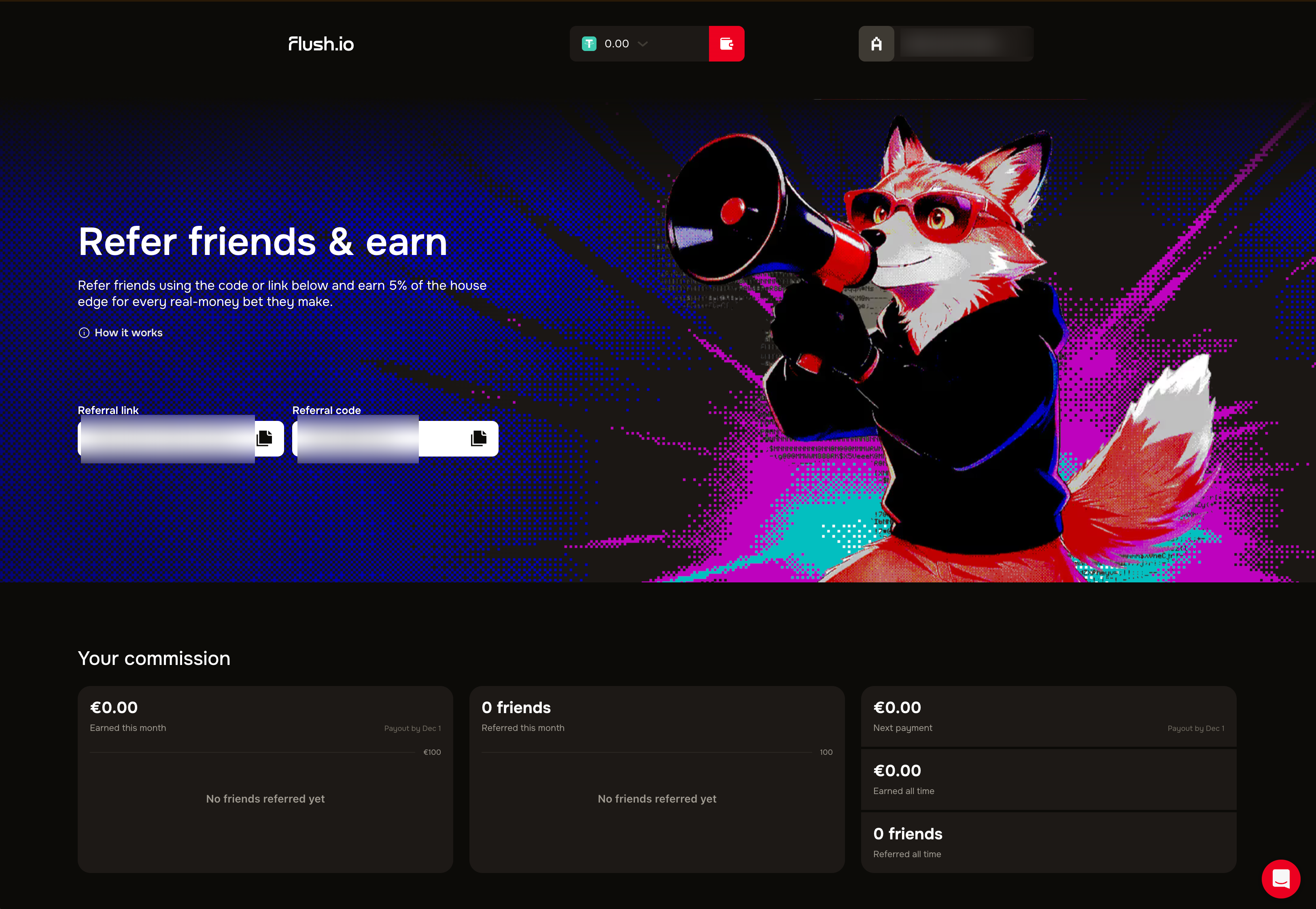
Finding your link and code
1. Open your account dropdown in the top right and choose Referrals, or go straight to prod.flush.io/referrals.
2. Near the top you will see your Referral link and your Referral code.
3. Select the copy icon next to either one, then share it with your friend however you like.
Link or code, your choice
The link and the code do the same job. If your friend opens your link, your code is applied for them automatically. If you share the code instead, they enter it themselves when signing up.
Good to know
Share it anywhere. Send your link or code by message, email, or social media; anyone who joins through it is linked to you.
It is unique to you. Your referral link and code are tied to your account, so every sign-up through them counts toward your referrals.
New to referrals? Our guide on what referrals are explains how much you earn and how it works.
Was this helpful?
Still need help? Ask the team