Verifying Your Personal Information
Completing account verification in Settings
Written By _flush_f0x_
Last updated About 3 hours ago
Alongside your email, Flush.io can verify your personal information. You will find it on the Verifications tab in Settings, and completing it helps keep your account and withdrawals running smoothly.
Starting verification
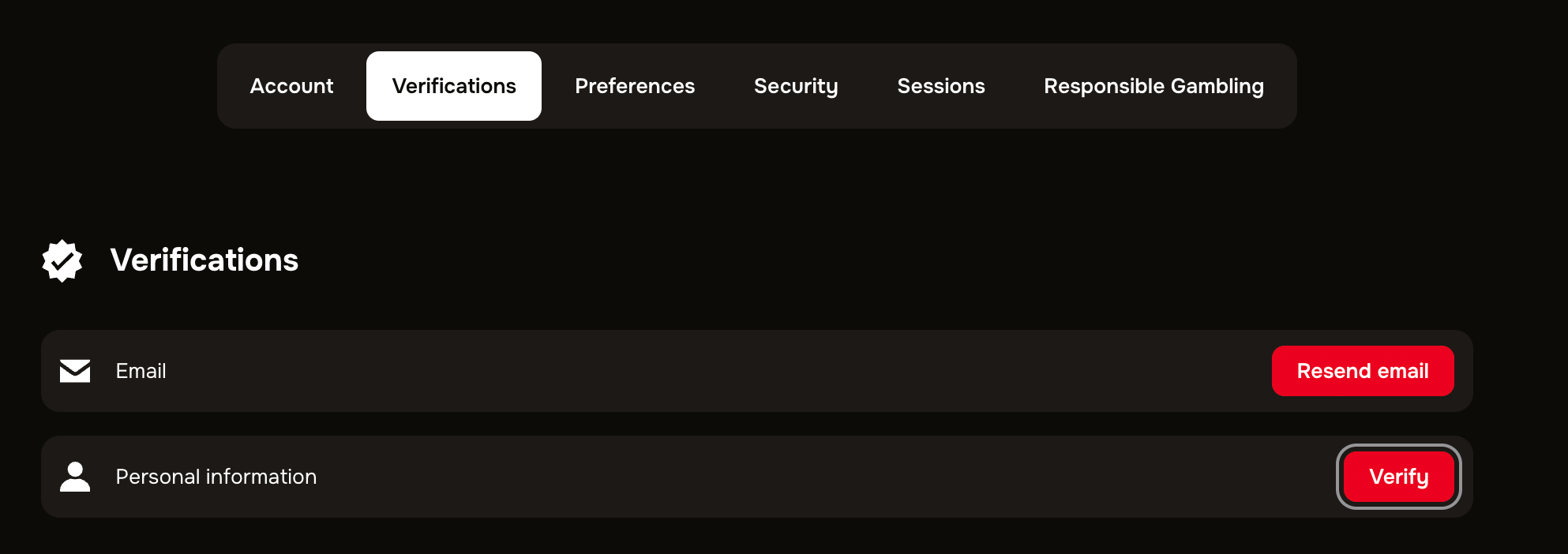
Figure 1: the Verifications tab, with the Verify option for personal information
1. Open your account menu, choose Settings, then the Verifications tab.
2. Next to Personal information, select Verify.
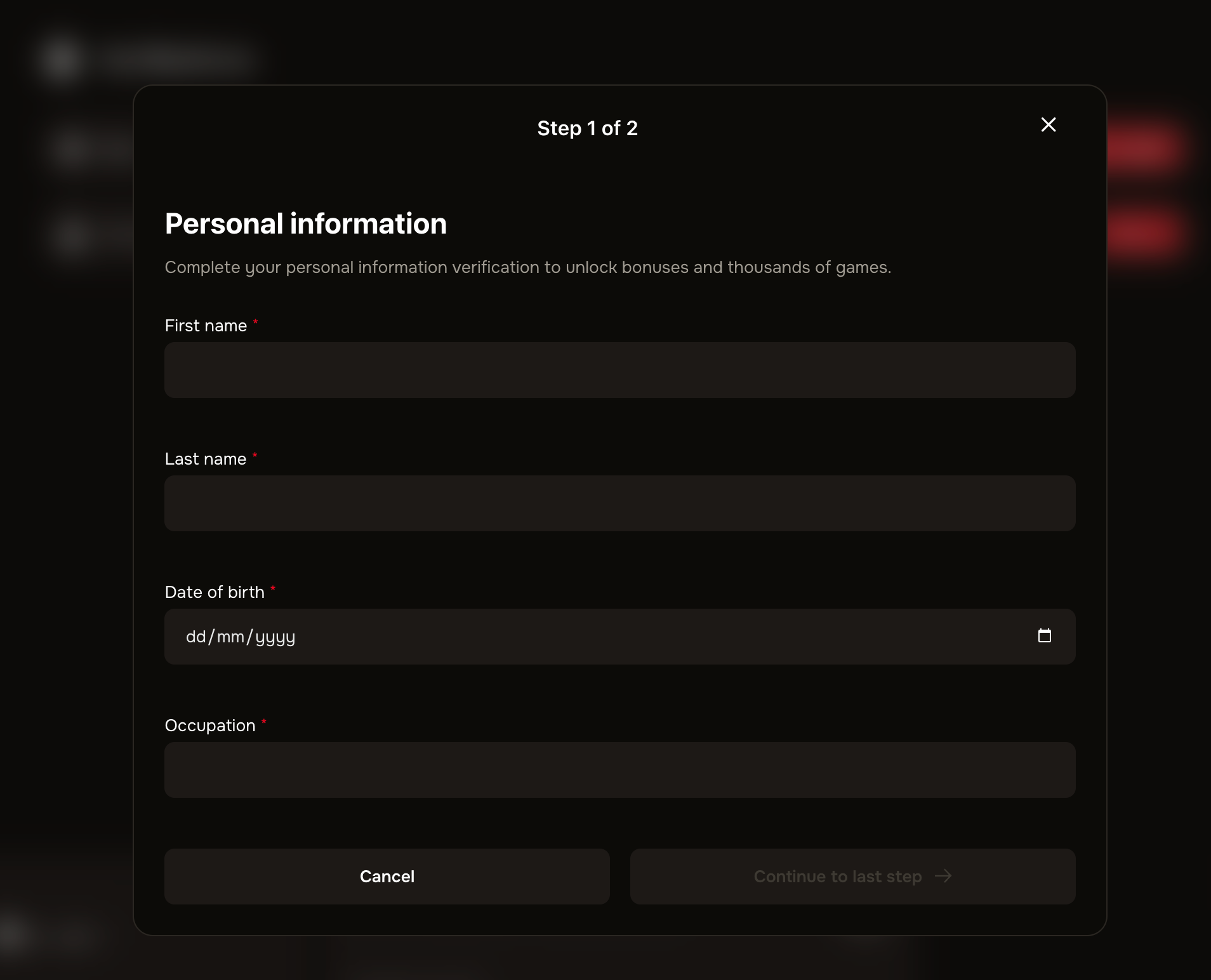
3. Follow the on-screen steps to provide the requested details. Once reviewed, your status updates to verified.
Why verification matters
Verifying your personal information is a standard step for a licensed platform. It helps keep accounts secure, supports responsible play, and means your withdrawals can be processed without hold-ups. Having it done ahead of time keeps everything smooth.
Good to know
Have your details ready. The process is quickest if you have the information it asks for to hand before you start.
Verification can be required for withdrawals. Some withdrawals need verification completed first, so doing it early avoids waiting later.
Your status shows here. The Verifications tab shows whether your personal information is still to verify or already complete.
Need a hand? If anything about verification is unclear, our support team can walk you through it.
Was this helpful?
Still need help? Ask the team