How Can I See How Much I Made Through Referrals?
Tracking your referral earnings
Written By _flush_f0x_
Last updated About 10 hours ago
All of your referral earnings are shown on the Referrals page, under Your commission. It breaks down what you have earned, what is coming, and your all-time total.
Your commission
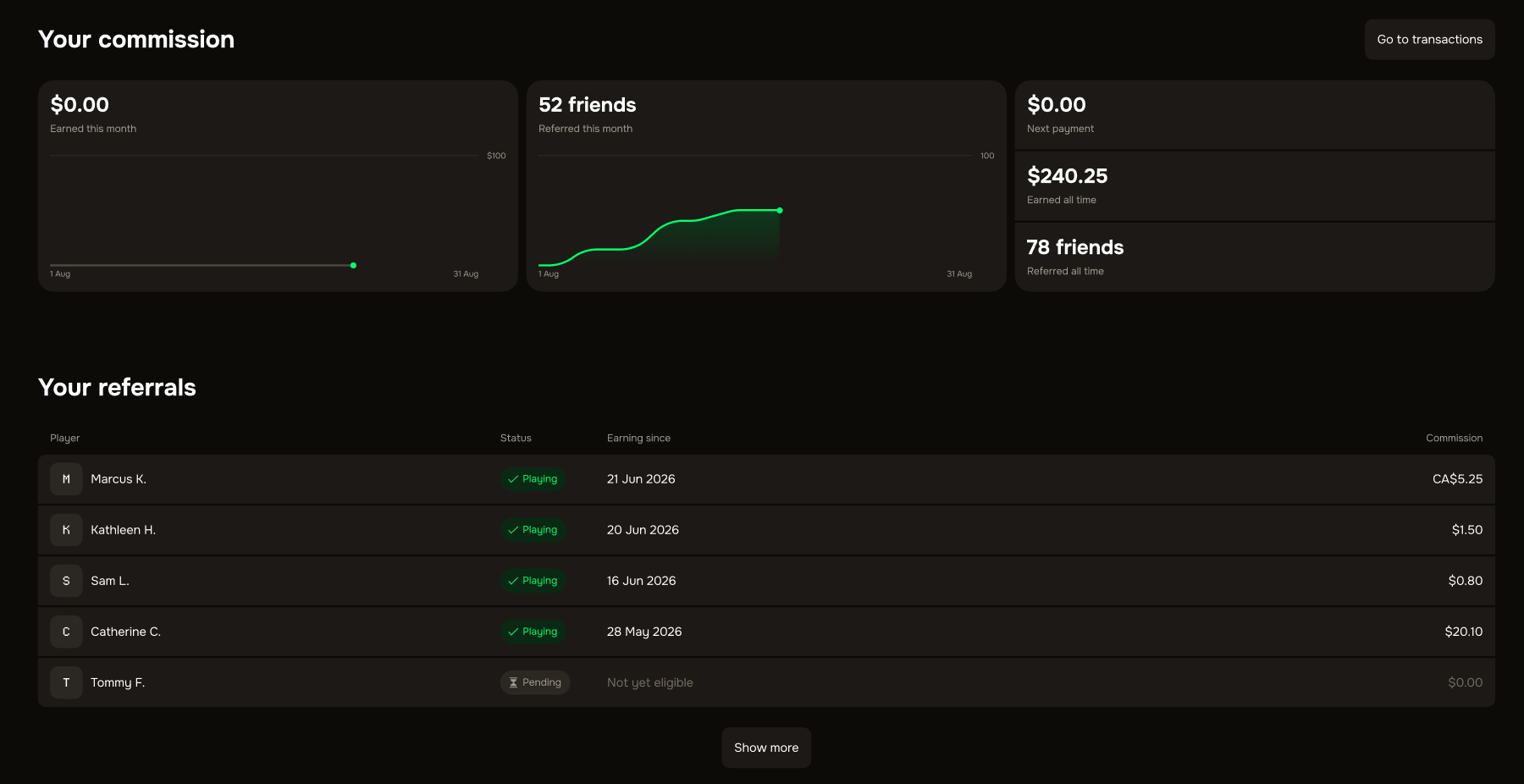
1. Open your account dropdown and choose Referrals, or go to prod.flush.io/referrals.
2. Scroll to Your commission to see your earnings at a glance.
Earned this month. What you have earned in the current month so far.
Next payment. What is due to be paid to you at the next monthly payout.
Earned all time. Your total referral earnings since you started.
Friends referred. How many friends you have referred, this month and in total.
Paid to your wallet each month
The commission you earn is paid out to your wallet every month. Remember the monthly cap: you can earn up to €100.00 in referral commission per calendar month, resetting at midnight UTC on the 1st.

Good to know
Per-friend earnings. The Your referrals section lower down shows the friends you have referred and the commission each one brings in.
Earnings grow as they play. Your total rises as your referred friends place more real-money bets.
Was this helpful?
Still need help? Ask the team