Where Can I See My Referrals?
The friends you have referred
Written By _flush_f0x_
Last updated About 10 hours ago
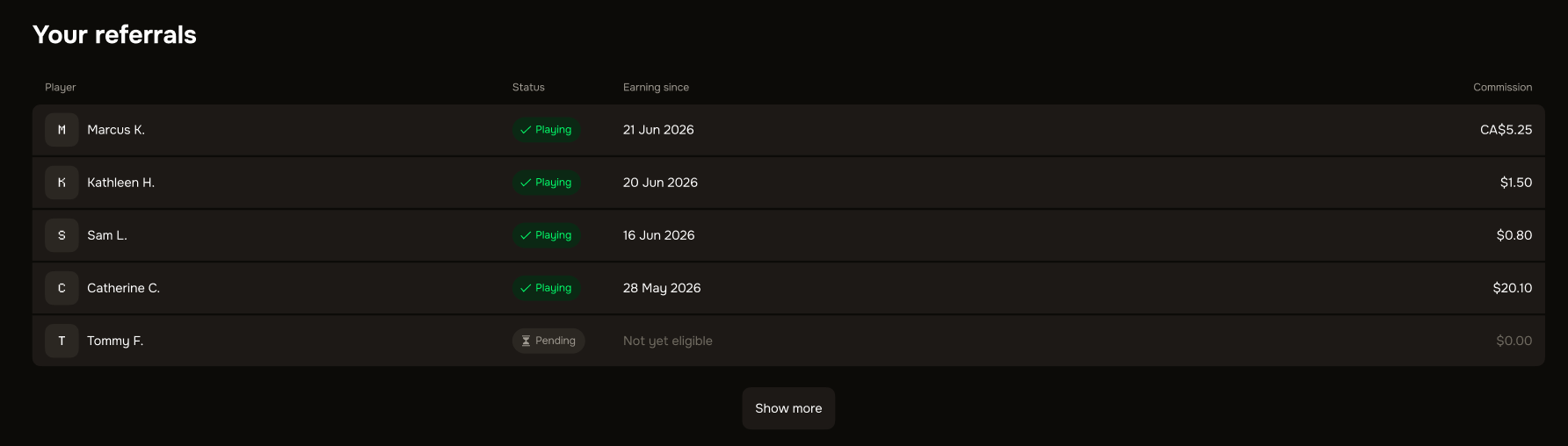
You can see everyone you have referred on the Referrals page, under Your referrals, along with the commission each friend earns you.
Your referrals
1. Open your account dropdown and choose Referrals, or go to prod.flush.io/referrals.
2. Scroll to Your referrals to see the friends you have referred.
3. Each referred friend appears here, along with the commission they are earning you.
Nothing there yet?
If you have not referred anyone, this section shows "No friends referred yet". Share your referral link or code to get started, and your friends will appear here once they join and begin playing.
Good to know
Totals are just above. The Your commission section shows your earnings and how many friends you have referred, this month and all time.
Friends appear once they qualify. A referred friend starts counting once they have signed up with your code and begun playing.
Find your link here too. The same page is where you copy your referral link and code to invite more friends.
Was this helpful?
Still need help? Ask the team