What is a Wallet Address?
Learn what a wallet address is and how to find it
Written By _flush_f0x_
Last updated 14 days ago
A wallet address is the destination for a crypto transaction: a unique string of letters and numbers that tells the network exactly where funds should go, the same way an account number tells a bank. You will use one every time you deposit to Flush.io, and one of your own every time you withdraw. This guide shows you exactly what an address looks like, where to find yours, and the one small habit that makes using them completely safe.
What an address actually looks like
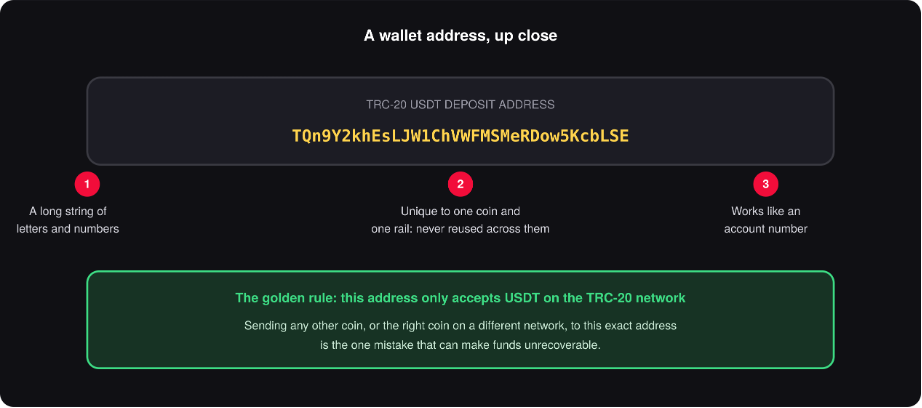
Figure 1: a real deposit address, explained piece by piece
An address is generated by the network itself, not chosen by you or by Flush.io, which is exactly what makes it trustworthy: nobody can quietly swap it for another one. Every address belongs to one coin on one specific rail, which is why our companion guide on crypto rails matters here too: the address in Figure 1 accepts USDT arriving over the TRC-20 network, and nothing else.
Finding your Flush.io deposit address
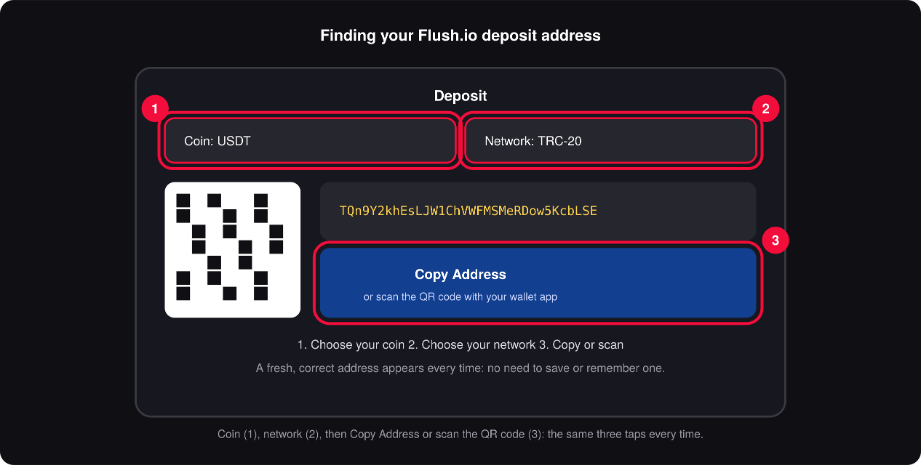
Figure 2: coin, network, then copy or scan: the same three steps every time
Open the Deposit page and choose the coin you want to send.
Choose the matching network for that coin (your wallet or exchange will show you which networks it supports for the same coin).
opy the address shown with one tap, or scan the QR code directly with your wallet app’s camera.
Paste it into your wallet’s send screen, double-check the network matches, and send.
This address only accepts what it says it accepts
Every deposit address Flush.io shows you is built for one coin on one network, stated clearly right above it. Sending a different coin, or the right coin over a different network, to that address is the one genuine way to lose funds in crypto, and it is entirely avoidable: always match the coin and network shown on screen to the ones you are sending from.
The habit that makes addresses foolproof
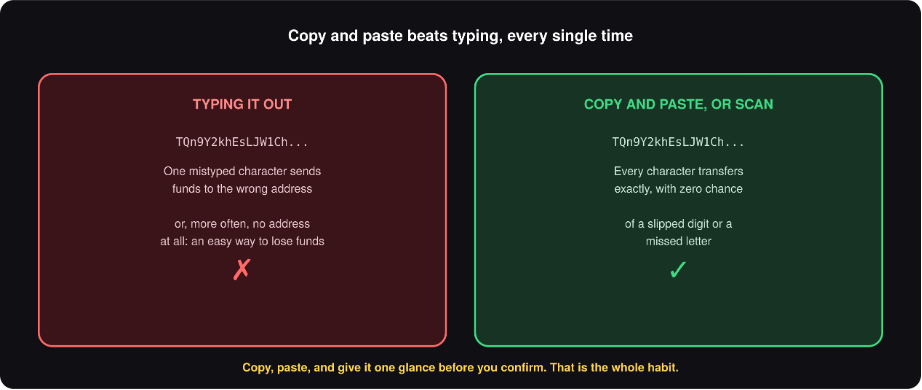
Figure 3: copy and paste removes the only real risk left
Addresses are long by design, which is a security feature, not an inconvenience: it makes them close to impossible to guess. The one thing that length asks of you is to never type one out by hand. Copy it, paste it, or scan its QR code, then give the first few and last few characters a quick glance against what you copied before you confirm. That single habit is the entire safety routine, and it takes about two seconds.
Address terms worth knowing
Good to know
A fresh address every time is completely normal. Some networks generate a new deposit address for every transaction. If yours looks different from last time, that is expected, not a mistake: always use whichever one is shown to you right now.
Withdrawal addresses are yours to provide. When withdrawing, you will paste in an address from your own wallet: the same copy-and-paste habit applies in reverse, straight from your wallet’s receive screen.
QR codes are the fastest, safest option on mobile. Scanning skips typing and copying entirely: if your wallet app has a scanner, it is usually the quickest way to get an address exactly right.
Unsure about anything on screen? Our support team can confirm any address or network detail with you before you send. Asking first costs nothing; sending to the wrong place can cost everything.
Two seconds, total peace of mind. Copy, paste, glance, send: once this habit is automatic, deposit addresses stop being something to think about at all, and you get straight to playing.
Was this helpful?
Still need help? Ask the team