How to Take a Break
Pausing your account for a short period
Written By _flush_f0x_
Last updated About 1 hour ago
If you would like to step away for a little while, taking a break locks your account for a short, chosen period. It is a gentle way to hit pause without closing your account. Here is how.
Taking a break
1. Open your account menu, choose Settings, then the Responsible Gambling tab.

2. On Self exclusion, select Take a break.
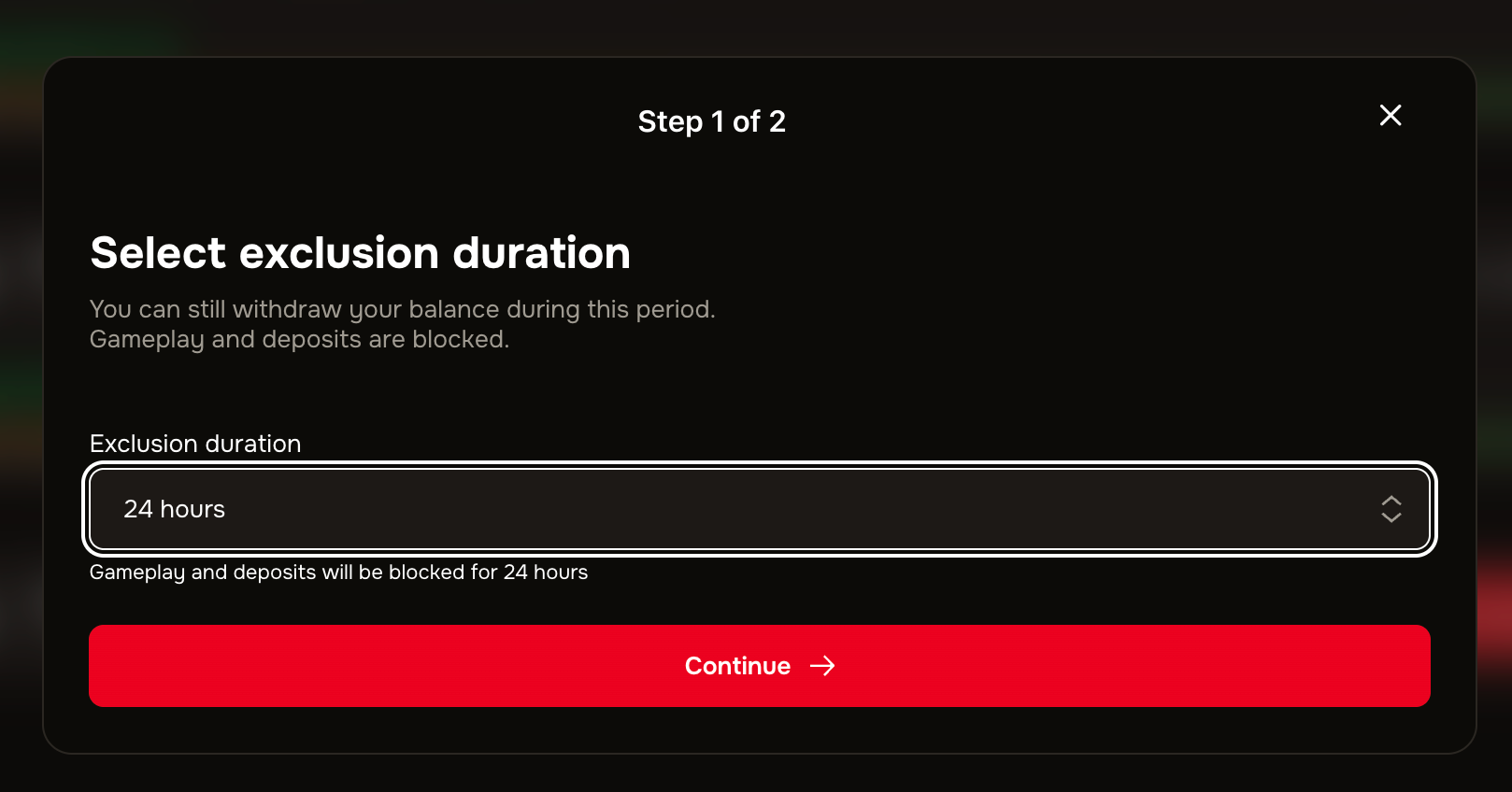
3. Choose a short duration (for example 24 hours or 7 days), then follow the steps to confirm.
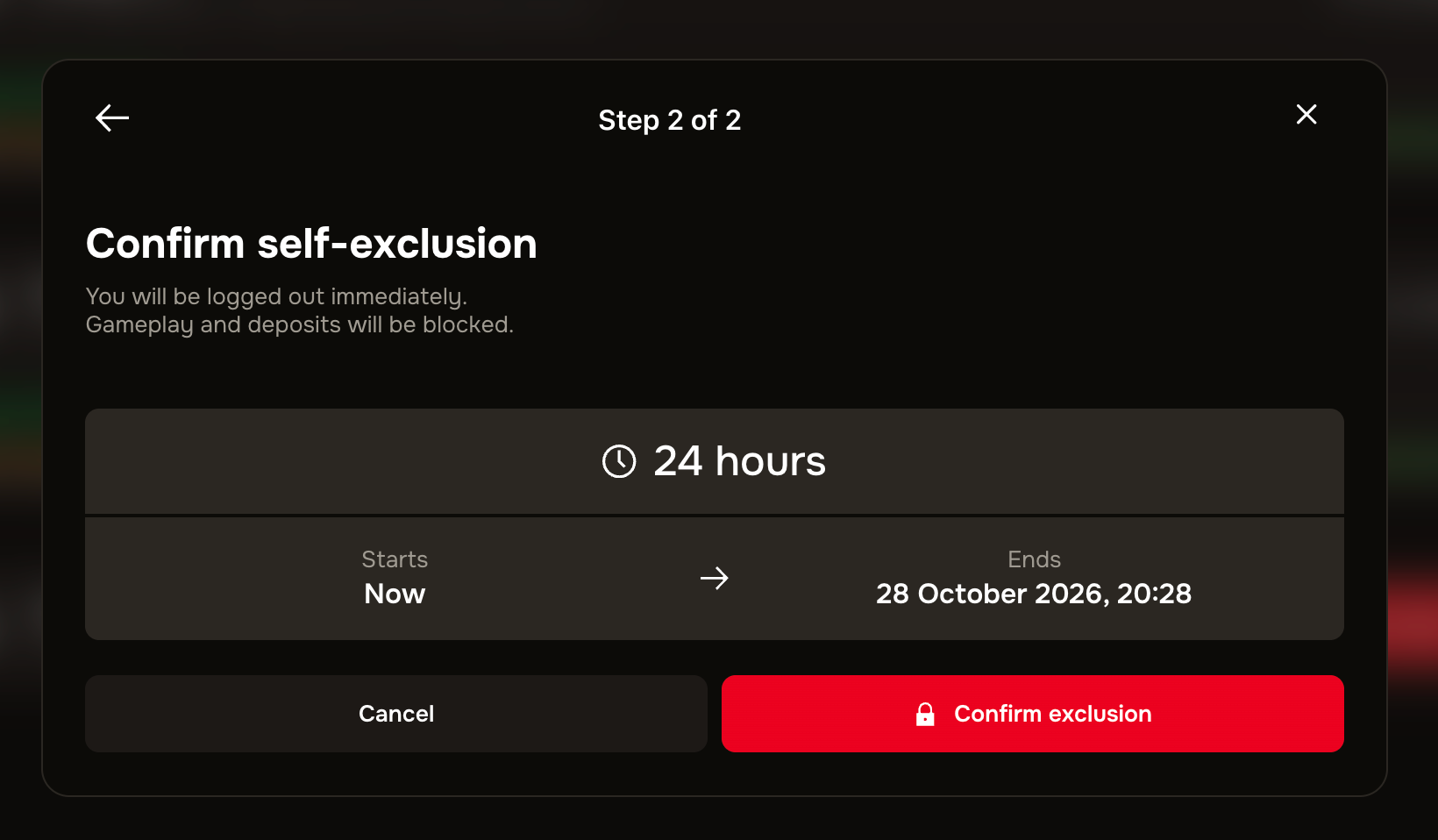
During your break
While your break is active, gameplay and deposits are blocked, but you can still withdraw your balance. When the period ends, your account simply returns to normal.
Good to know
It is the same tool as self-exclusion. A break uses the same control as self-exclusion, just with a shorter duration; a longer period is covered in our self-exclusion guide.
Your funds stay yours. You can withdraw your balance during a break, so stepping away never means losing access to your money.
A break runs its full length. Once set, a break stays in place until it ends, which is what makes it an effective pause.
Support is here if you need it. If gambling is not feeling fun, or you would like to talk to someone, our guide on where to get problem gambling help lists organisations that can support you, and our team is always ready to help.
Was this helpful?
Still need help? Ask the team